For owner-operators in 8 home-service trades

Before: job notes on the back of a receipt. After: an estimate you review, price, and send.

Wrenchword lays out the fields an estimate needs in your trade (what you found, the scope, the options, what's not included) and puts your notes into a clean estimate template, in order. You set every price. You send it.

A sample job, made up for this demo, going from notes to estimate. No sound needed: each step is labeled on screen.

Built for HVAC, plumbing, electrical, landscaping & lawn care, house cleaning, painting, handyman, and roofing.

The note from the truck

You walked the job at two.

The upstairs isn't cooling. The capacitor's bulging, the coil's dirty, and the filter hasn't been changed in a long while. The customer wants it fixed before the weekend and asked what it'll run.

You know the answer. You know the work, the parts, and the two ways you could do it. And it's all on the back of a receipt in the truck:

2ND FLR NO COOL
cap bulging 45/5 - coil dirty - filter 16x25 shot
opt 1: cap + clean coil + filter
opt 2: same + cond fan motor (noisy)
cust wants b4 sat. ask re maint plan

(A sample job, made up for this page.)

That note is plenty for you. It isn't an estimate yet.

Tonight, after the last callback, somebody has to turn it into one. Something the customer can read without you standing in the kitchen explaining it: what you found, what you'll do, the two options and what each one costs, what isn't included, when you can be there, and how they pay.

So you open a blank document. Or you open last week's estimate and change it line by line, hoping the last customer's address didn't make it through. Either way, the work you already did at the house gets done a second time at the kitchen table.

There's nothing wrong with the notes. What's missing is a place for each part of them.

Trade Field Scaffolding

Every estimate in your trade is built from the same parts. The customer's request. What you found. The scope, line by line. Materials. The options, each with your price. The timeline. What's not included. Your warranty, in your words. How you get paid.

Your notes already hold most of those parts. They're just written in shorthand, in the order you found things, for you.

Trade Field Scaffolding puts a field under each part, set up for your trade:

  1. Pick your trade. The Estimate Builder opens its fields: what the customer asked for, what you found, the scope, materials, your options with your prices (good, better, best), the timeline, what's not included, your warranty in your own words, and how you get paid.
  2. Fill them in from your notes. In the truck or at the table, on your phone or your computer.
  3. Pick how the words get written. Plain mode or AI mode, below.
  4. Read it, and send it. The text lands in your trade's estimate template as a DOCX file, the standard format Word and Google Docs open.

Plain mode, no AI. The builder puts your own words, in order, into your trade's estimate. No account, nothing to sign up for.

AI mode, if you already use an AI chat. The builder writes one complete request with your trade's fields filled in. You paste it into the AI chat you already use, and the chat writes smoother sentences from your facts. Every request carries the same rule at the top: use only the prices provided; never add a price. It also tells the chat to write to your customer in plain American English, with no jargon they wouldn't know and no facts beyond the ones you filled in.

Either way, the fields do the heavy lifting. A note is written for the person who walked the job, so it skips what you'd never forget: that the job doesn't include ductwork or a refrigerant recharge, that Friday is the day you can get there, that you take a card or a check when it's done. The customer wasn't there. Every line you leave off is a question they'll have to call you about. The fields ask for each part, so what's in your head ends up on the estimate.

Before and after, on a sample job

Same receipt as above. Here it is going through the builder.

Before: the note, in the fields. You write each line of the receipt out the way the customer should read it, in the field where it belongs. The receipt's "cap bulging 45/5" goes under what you found as "Run capacitor (45/5 MFD) is bulging." The two options go under options, each with the price typed in. The fields and Plain mode take care of the order and the template.
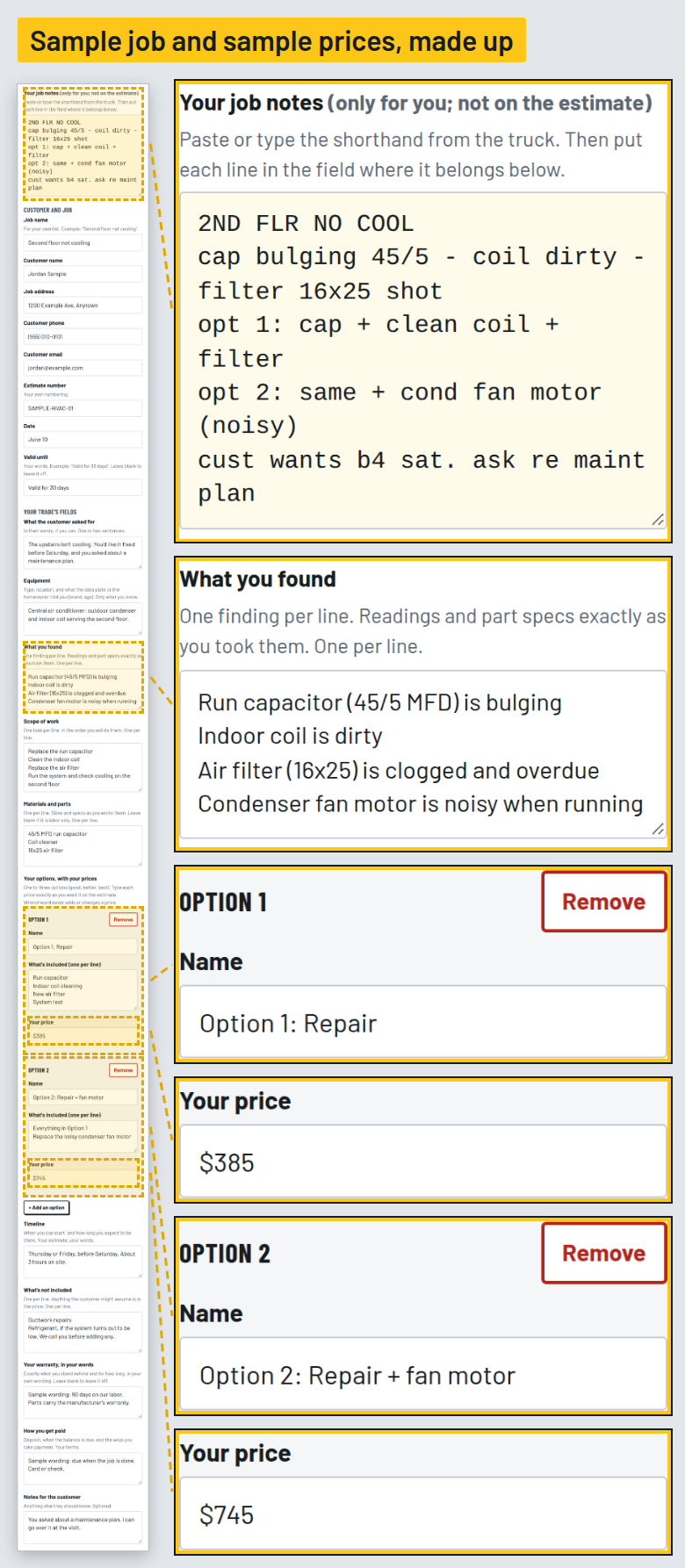
The sample HVAC note typed into the Estimate Builder's fields: customer request, what you found, scope, materials, two options with prices, timeline, what's not included, warranty wording, and payment terms

After: the estimate, in Plain mode. No AI. The prices on it are the ones typed into the fields, and nothing else.
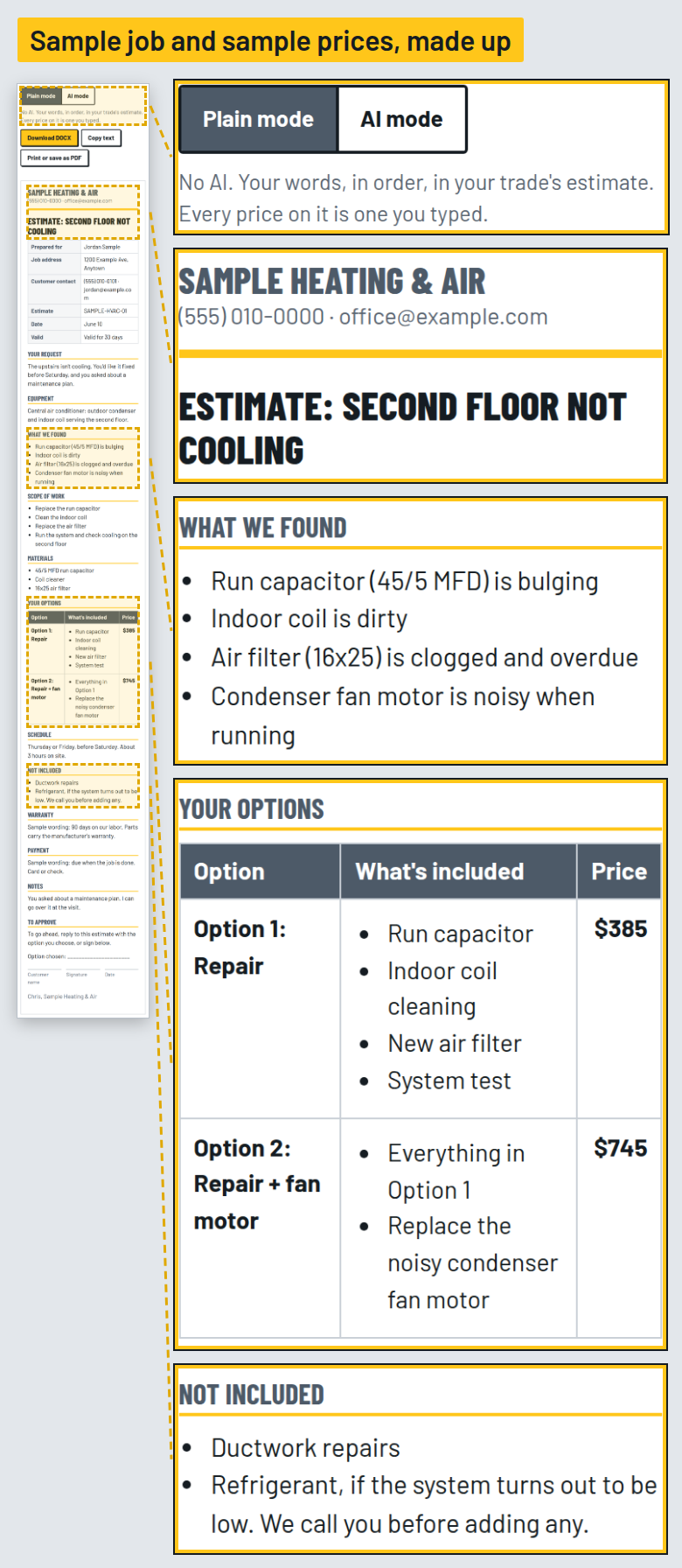
The estimate Plain mode built from the sample note, laid out in the HVAC estimate template

The same job, in AI mode. This is the request the builder writes for your AI chat, with the price rule at the top. You paste what comes back into the builder, and it goes into the same template as a DOCX. You read it before it goes anywhere.
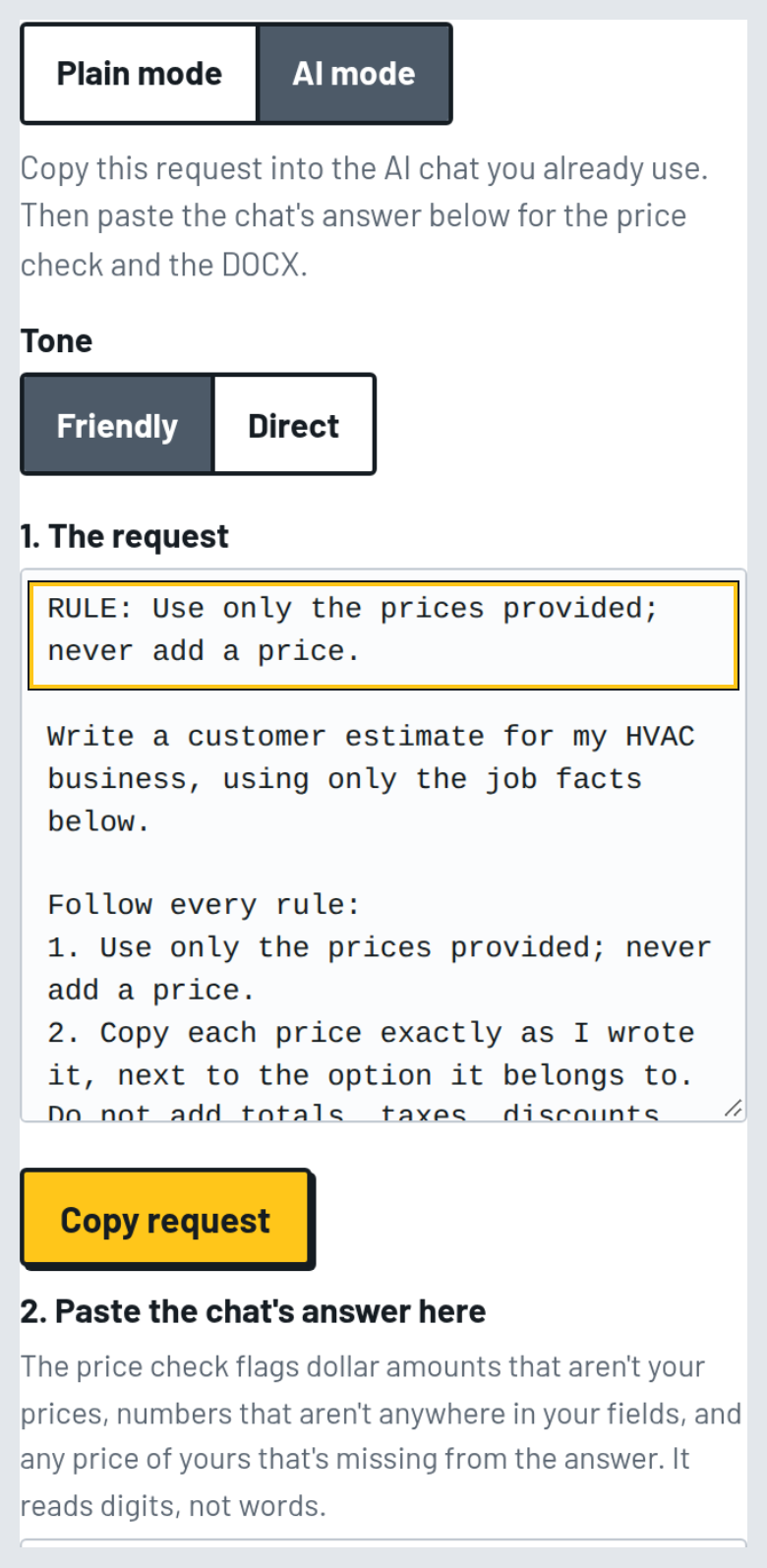
The AI mode request the builder wrote from the same fields, with the rule "use only the prices provided; never add a price" at the top

The file you send. Your trade's estimate template, in DOCX.
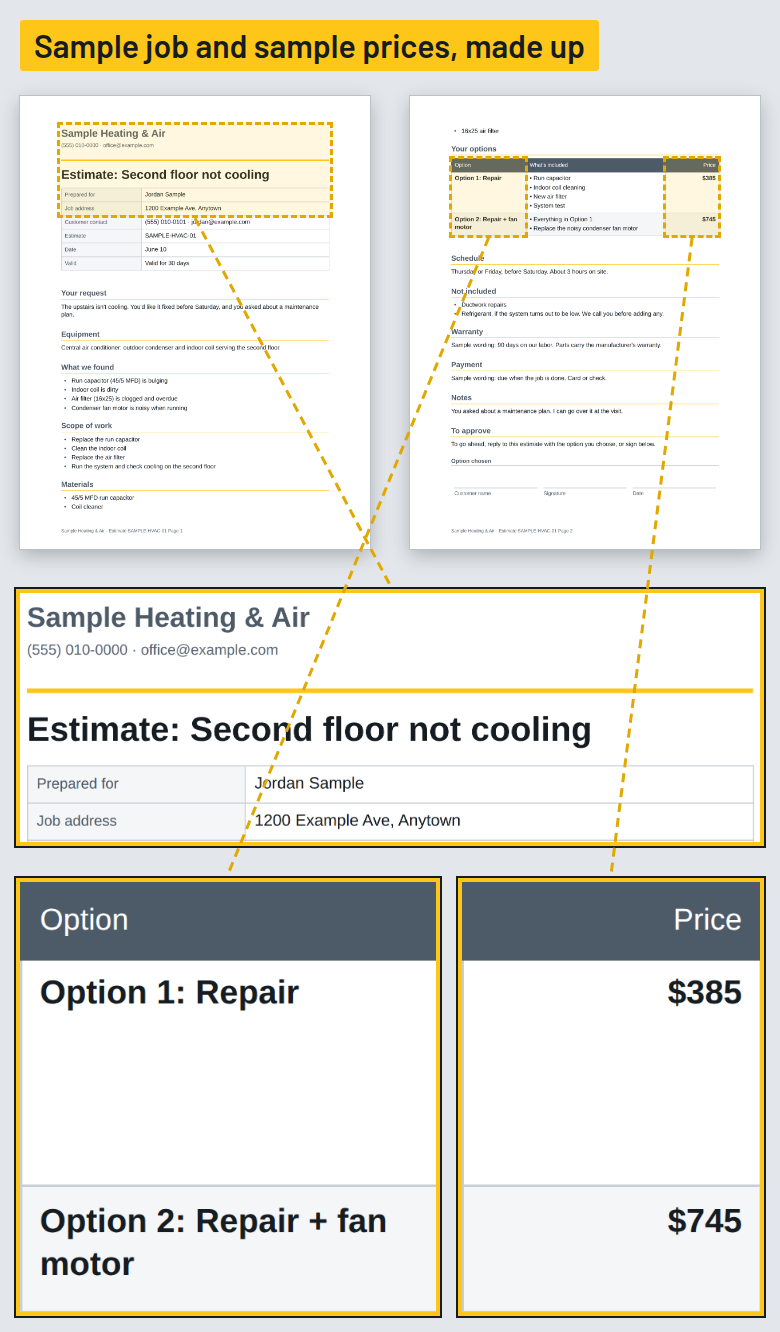
The finished sample estimate in the HVAC estimate template, as a DOCX file

Same note. Same prices. The difference is that the parts already have a place to go.
Work Order #30

Run your next few jobs through it. If it doesn't earn a place in your truck, email us within 30 days.

30-day money-back guarantee. Email support@wrenchword.store within 30 days of purchase and we'll refund 100% of what you paid for that product. No questions asked.

After the estimate goes out

The estimate is the first thing you send a customer, not the last. After it come the follow-up, the confirmation, the "running a little behind," the payment reminder.

The Message Builder writes those for your trade. Pick the message, add the customer's name and a detail or two, choose friendly or direct, and get it as a text message or an email.

12 messages, from estimate to the next season

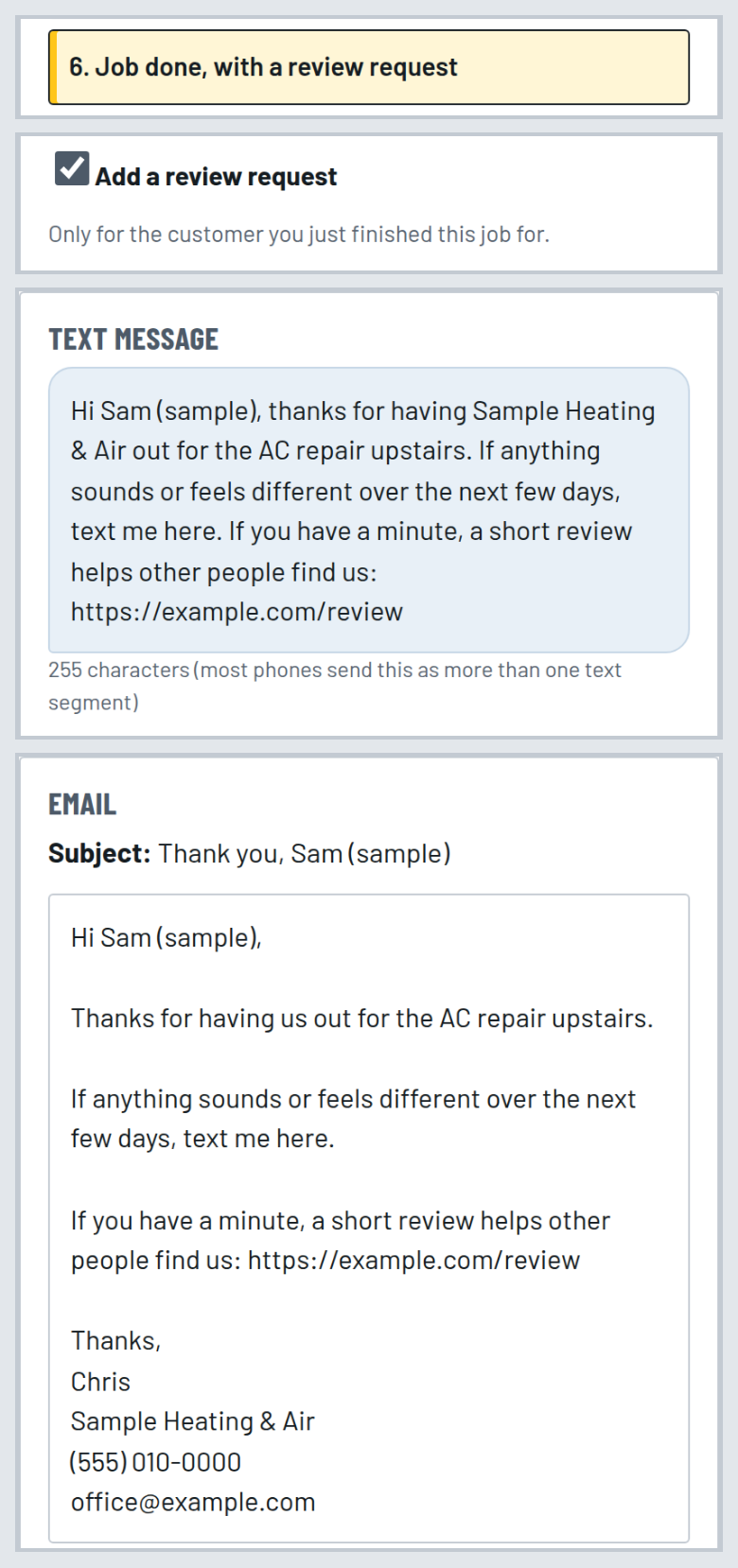
Two estimate follow-ups, day 2 and day 7, and then you get on with your week. The review request goes to the customer you just finished a job for, and nobody else.

The Message Builder with the "job done" message for a sample customer, shown as a text message and as an email

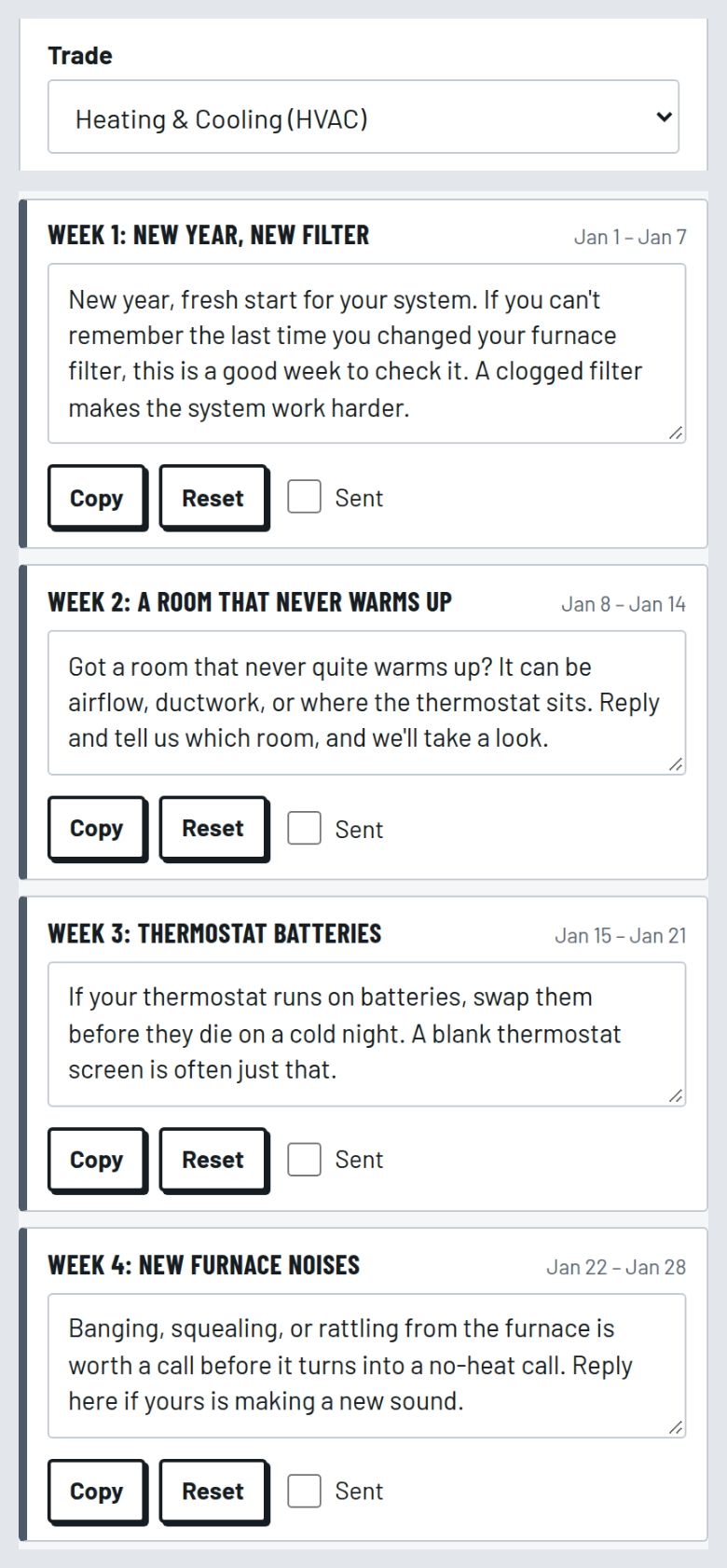
The 52-Week Customer Message Calendar. One message for every week of the year, on the season's topics for your trade, for the customers already on your list. Export it to your calendar app (.ics) or print it (PDF).

Several weeks of the 52-Week Customer Message Calendar for a sample trade

The paperwork around the job

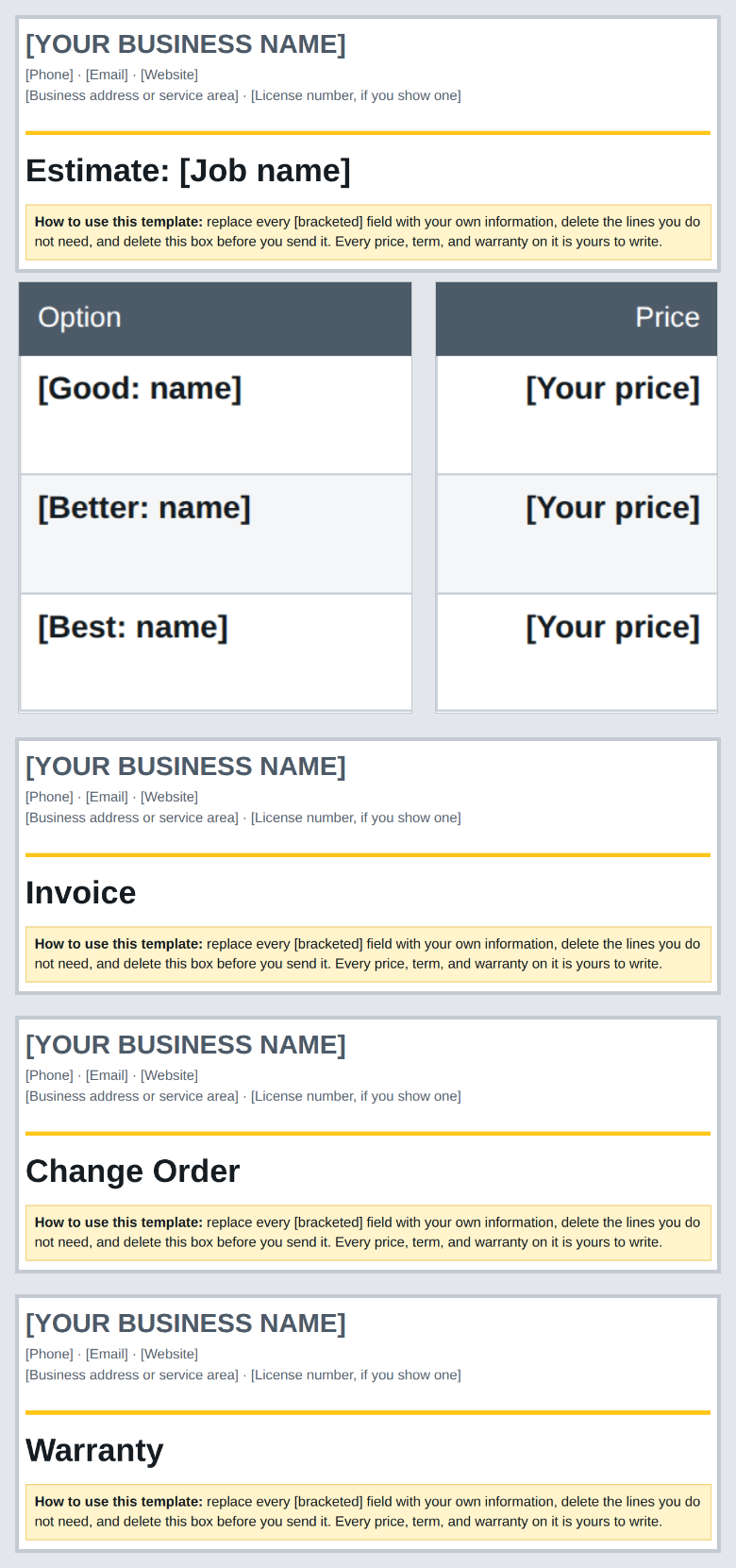
30 estimate and invoice templates, in DOCX, the standard format Word and Google Docs open.

Every trade gets three: an estimate, an estimate with options, and an invoice. That's 24. Then 6 for any job: a change order, a work order, a job completion summary, a receipt, a deposit request, and a warranty card in your own words.

Your terms, your warranty, and your payment details go in the fields. There's no legal language written for you: the terms are yours.

Four of the 30 templates: an estimate with options, an invoice, a change order, and a warranty card

You set every price

Wrenchword doesn't price jobs. It doesn't know your parts cost, your labor rate, or your market, and it doesn't pretend to.

It doesn't send anything, either. No texts, no emails, no automatic follow-ups. It isn't a CRM or scheduling software, and no AI plan comes with it: AI mode works with the AI chat you already use. You hit send, every time.

Other ways to get the estimate written

Write it from scratch, or from the last one. Works fine if you only write a few a month. The cost is the night at the kitchen table, and the leftovers from the last customer.

Free prompts off the internet. You'll find plenty, and a few are decent. With Wrenchword you get the fields for your trade, a price rule (only the prices you typed), a price check on what the chat sends back, the estimate templates, and Plain mode, which works with no AI at all.

A template kit. You get decent-looking documents. You still fill each one from scratch.

Field-service software. It does far more than this: scheduling, dispatch, payments, a customer database. It's built for crews that need all that, and it bills every month. If you already run one with estimates built in, stay with it.

Wrenchword sits between those: your notes, your trade's fields, a clean estimate, and the messages that follow it, for a single $97 payment.

Is it for your shop?

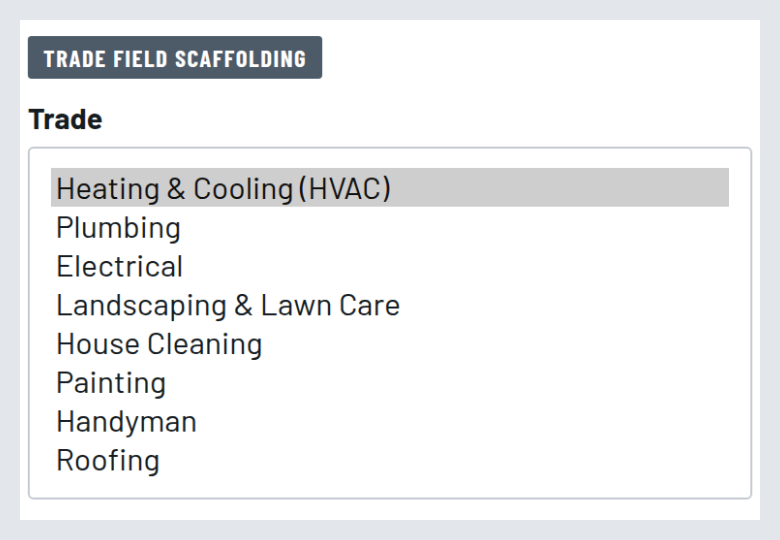
The Estimate Builder's trade picker with the 8 trades

Good fit if:

Not a fit if:

Tools in the box

Plus email support. Questions about using Wrenchword? Email support@wrenchword.store. We answer within 2 business days, for 12 months after your purchase.

What you'll need:

Put it in the truck

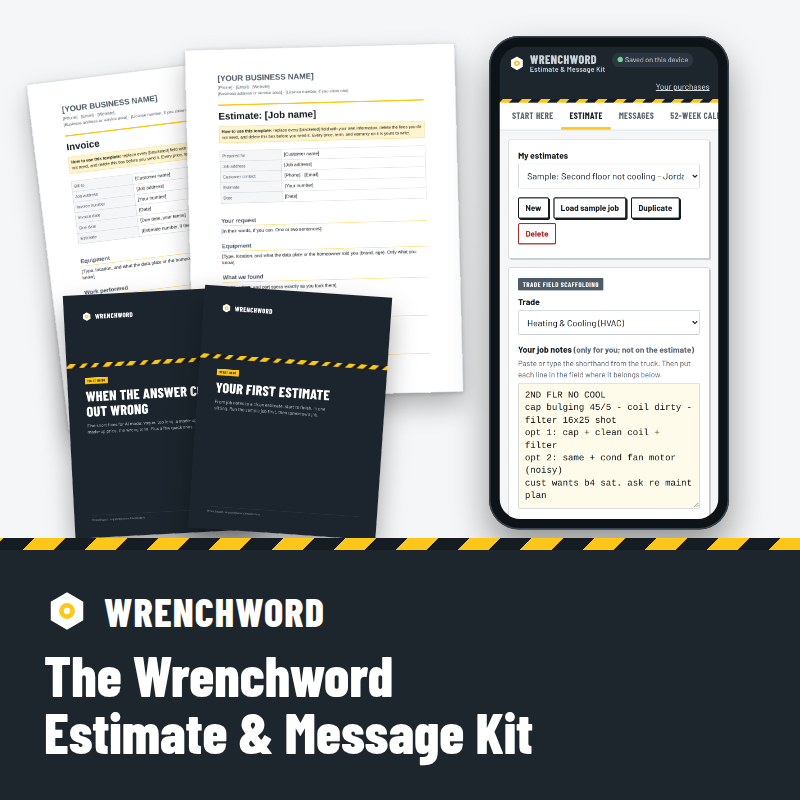
The Wrenchword Estimate & Message Kit: the Estimate Builder on a phone, the estimate templates, and the guides

The Wrenchword Estimate & Message Kit — $97 USD, one-time payment

  • Estimate Builder with Plain mode and AI mode, for 8 trades
  • Message Builder: 12 customer messages, text or email
  • 52-Week Customer Message Calendar
  • 30 estimate and invoice templates (DOCX)
  • Fix-It Guide, 8 sample jobs, and Start Here
  • Email support for 12 months

One-time payment. No subscription. No recurring charges.

Take tomorrow's job notes and turn them into an estimate you price and send.

30-day money-back guarantee. Email support@wrenchword.store within 30 days of purchase and we'll refund 100% of what you paid for that product. No questions asked.

Instant access by email after purchase. Your downloaded files are yours to keep.

Price in US dollars.

Who makes Wrenchword

Wrenchword makes writing tools for home-service businesses: the estimate, the messages that follow it, and the paperwork around the job.

Judge it the way you'd judge a new tool before it goes on the truck: watch it work. The video and the screenshots above run a sample job through the builder, from the receipt to the estimate.

Questions

Do I need AI to use it?

No. Plain mode builds the estimate from your notes with no AI and no account. AI mode is there if you already use an AI chat and want smoother wording.

Which AI chat does AI mode work with?

The request is plain text, so you can paste it into the AI chat you already use. The writing comes from that chat, so how it reads depends on the chat. Plain mode doesn't need one.

Will it put prices in for me?

No. In Plain mode, every price on the estimate is one you typed. In AI mode, the request tells the chat never to add a price, and you check every number before you send.

What if the AI chat makes up a price?

That's what the price check is for. Paste the chat's answer back into the builder, and it flags dollar amounts that aren't your prices, numbers that aren't anywhere in your fields, and any price of yours that's missing from the answer. It reads digits, not words, so you still read every line before you send. The Fix-It Guide has the fix.

Does it send the estimate or text my customers?

No. You copy the text and send it from your own phone or email.

Is it an app? Do I install anything?

Nothing to install. The Wrenchword builder runs in your browser. Your job notes are saved on your device, not on our servers. It works on your phone or your computer. The templates are DOCX files, and the guides are PDFs.

Will my customers be able to tell?

In Plain mode, it's your own words, put in order. In AI mode, you read and edit before anything goes out. Either way, it goes out under your name, after you've read it.

My trade isn't on the list.

It's built for these 8: HVAC, plumbing, electrical, landscaping & lawn care, house cleaning, painting, handyman, and roofing. If yours isn't one of them, it isn't for you.

I already use software that does estimates.

Then you probably don't need this. Wrenchword is for owners who write their own estimates and messages and don't want another monthly bill.

Does it come with contract terms?

No. The templates have fields for your own terms, your warranty, and how you get paid. There's no legal language written for you.

How long does the first estimate take?

That depends on how complete your notes are. Start Here walks you through the first one, and each trade has a sample job you can run before your own.

Will this help me win more jobs?

That's not what it does, and we won't promise it. It gets the estimate written, clean and in order. The price and the work are still yours.

Is this a subscription?

No. It's a single $97 payment, with no recurring charges.

How do I get it?

By email, right after you pay: a link to your access page, with the builder and the files.

What if you stop hosting the builder?

If we ever stop hosting the tools, we'll email you at least 60 days before and send you a copy that runs on your own computer.

What if it isn't for me?

30-day money-back guarantee. Email support@wrenchword.store within 30 days of purchase and we'll refund 100% of what you paid for that product. No questions asked.

What does support cover?

Questions about using Wrenchword? Email support@wrenchword.store. We answer within 2 business days, for 12 months after your purchase. Support helps you use Wrenchword; it doesn't write or price your estimates.

Tomorrow's job

Tomorrow there'll be another walkthrough and another note in the truck. The estimate gets written either way: from a blank page tonight, or from your trade's fields, with your prices, ready to read and send.

The Wrenchword Estimate & Message Kit — $97 USD, one-time payment

Take tomorrow's job notes and turn them into an estimate you price and send.

30-day money-back guarantee. Email support@wrenchword.store within 30 days of purchase and we'll refund 100% of what you paid for that product. No questions asked.

P.S. First thing after you buy: open Start Here, pick your trade, and run its sample job through Plain mode. You'll see the whole before and after on your own screen before you type a word of your own notes.